
Decentralized Registration Becoming the New Normal

Not so long ago, many trade show organizers stopped mailing badges due to improved badge printing technologies. With a simple barcode on their registration confirmation, an attendee could print their badge at the show in a matter of seconds. What this meant though is that there were many more check-in stations required at the event. It would be normal to walk into a convention center to see massive registration areas capable of producing tens of thousands of badges over a few days.
Before the novel coronavirus pandemic, we were already seeing fewer massive registration areas as shows began placing badge printing stations in other areas outside the exhibition venue. In light of the pandemic, massive registration areas may be a thing of the past. As the industry begins to incorporate stricter health and safety protocols in their face-to-face event planning, decentralized registration is one of the ways that will move the industry forward into this new normal.
Here are some of the reasons why more shows would want to do away with the one central registration area.
Space is at a premium.
If attendees must maintain a distance of at least six feet from each other, it would make for quite a long registration line! Having multiple areas outside of the venue, such as at the airport or hotel, not only prevents areas where people must congregate, but also enables growing shows to free up that prime space to sell to sponsors or exhibitors.
Registration technology has gone mobile.
Printing badges from registration carts has become easier, as they have their own internet connection, run on batteries, and can literally be rolled to wherever they are needed. Additionally, on-demand contactless badge printing stations enable attendees to punch in a code on their phone to instantly print a badge at the station, eliminating the need for printing stations to be manned and reducing exposure to high-touch areas.
Printing badges from registration carts has never been easier. There is no longer a need to order services from third parties. A registration cart can have its own internet connection and run on batteries! It can literally be rolled to wherever it is needed.
Bring the badge to the attendee and not the attendee to the badge.
What this means is to bring registration to places the attendees already are:
-
- Badge pick up at the airport. More and more shows are adding badge pickup stations in baggage claim areas. This makes it convenient for attendees. Once they pick up their bags they can stop and pick up their show badge at the same time. By keeping badge pickup areas open during the key arrival times, an event can see up to 40% of attendees get badged before even stepping foot inside the convention center.
-
- Badge pick up at the major hotels. By placing badge pick up stations at all your major hotel blocks, attendees can now check into the hotel as well as the show. Many attendees will also network in the hotel lobby and hotel bars so try to get badge pickup stations near these high traffic areas and keep them open past ‘normal business hours’ to maximize output offsite.
-
- Think ‘outside the center’. Utilize space outside the convention center. Registration tents can achieve the same impact as if the registration area were inside. Also, think about putting badge pickup stations strategically placed outside the convention center such as near parking lots and shuttle bus drop-offs. Remember, the key is to get as many people badged as you can before they enter the building!
Virtual badges.
Perhaps the most decentralized registration option of all, some shows will eliminate printed badges altogether. Instead, they’ll send virtual badges to registrants, which can be added and stored digitally in a mobile wallet. When they’re ready to go on the exhibition floor, they’ll enter a turnstile and scan the virtual badge at a kiosk to gain access, similar to entering a gate at the airport.
We hope you found this information useful. If you have any questions or comments about this blog, please send us an email at marketing@csireg.com.


5 Ways To Supercharge Your Registration Website

Online registration for trade shows has come a long way over the years. Simple two or three page websites with just a few registration categories, business rules, and demographic questions are a thing of the past. Show organizers now expect a lot more functionality – everything from mobile optimization to sophisticated web service integrations – all aimed at creating a high-tech user experience and driving registrations. We’ve assembled a list of our most popular tips and tricks, from the over 700 websites we develop annually, that we think can help you take your website to the next level.
1) Register Socially
Leverage your own attendees to help market your event by integrating InGo, an industry-leading social media marketing tool, with your registration website. It allows attendees to register and spread information about your trade show across their social networks. Attendees can also send personalized invitations to their network, which will further increase your event’s reach and impact. Some organizers boast a 20-25% growth in registrations as a result of using this tool.
2) Registration Widget
An easy way for exhibitors, from their own corporate website, to promote both their booth and your trade show. A widget is a small snippet of code that an exhibitor can download and place on their website. It functions much like a banner ad that includes information about the trade show, their booth, and a link to the registration website. A win-win opportunity.
3) Mobile Optimization
Every year, more people register for trade shows using mobile devices and tablets. In fact, mobile registrations for some trade shows exceeds 20%. That’s a reason that it’s so important to mobile-optimize your registration website to be sure you are creating a good user experience for this audience. Mobile optimization accounts for site design, site structure, page speed, and more. Also, Google favors mobile-optimized sites in their SERP (search engine results pages), which means more people will find your website.
4) Web Services Integration
There is a lot of buzz around web services integration in the trade show industry. In short, it allows you to integrate and share data between different systems such as member management, registration and housing, to create a cohesive and smooth user experience for your registrants. It has the added benefit that you, the organizer, receive real-time registrant information. Here are some additional benefits:
- Single Sign-On (SSO): allow registrants to use one set of credentials for multiple applications
- Membership validation in real-time: sign up new members and have their status recognized immediately on the registration website
- Pre-population of contact information, member status, and rates speeds up the registration process
- Data synced with show app in real-time: provide a seamless transition from registration website to show app
- Combined housing and registration confirmation: confirmations are compiled into a single confirmation
5) User Experience
The possibilities for adding interesting website features and functionality are endless, but be mindful of the user experience you are creating so that it doesn’t become cumbersome. The process should be quick, simple and pain-free so people don’t struggle and abandon their registration midstream. Here are a few ideas to help you create a good user experience.
- Keep business rules for attendees simple and straightforward
- Limit the number of pages on the site
- Avoid excessive button clicks
- Minimize required fields
- Don’t let design elements get in the way of usability
- Limit your demographic questions to 10 or less
We hope you found this information useful. If you have any questions or comments about this blog, please send us an email at marketing@csireg.com.

The Importance of Good Website Design

In the trade show industry, the importance of getting people to register for your event is paramount. Every year, show organizers are experimenting with new and different ways to do just that, such as using social media event marketing plugins and offering incentives to register for your next event while at your current event
Gone are the days of mailing in and faxing forms. Arguably, the most important (and fastest) way to get people to register for your event is through your website. I know… everyone knows that. But what everyone doesn’t know is how important it is to make sure your registrants have an excellent user experience. Your websites should be easy to use, intuitive and inviting. If you’re not quite sure how to accomplish this, take a minute to look at the tips below.
Simple Typography
• Choose fonts that are legible.
• Veer away from using a script font on body copy as it’s hard to read.
Good Image Quality
• Crop your images in interesting ways and make sure those images are relevant.
• Do not use pixelated or distorted images; they aren’t good representations of your product.
• Keep your image quality, but consider compressing the image size to a minimum. Smaller images help websites load faster.
Clear Navigation
• Utilize hierarchies – big, medium and small (but legible) text.
• When using buttons, make it clear that it’s a button.
• Concise labeling is important; you want registrants to know what they’re looking at.
Choose Color and Contrast Properly
• Don’t use dark grey font over a light grey background. There isn’t enough contrast making it hard to read.
• Keep the color scheme to a relative minimum. Too much color can be just that… too much.
Consistency is your Friend
• Buttons should look the same throughout.
• Labels should stay consistent – don’t label navigation one thing and the page header another.
Relevant Content
• Display what matters for your audience. If you have a long paragraph, break it apart into smaller chunks that are easier to digest.
• The top half of your web page determines if the user will stay on your website or not; display the most important information here.
By incorporating these design principles into your event registration websites, you will improve your user’s experience and increase your chances of repeat attendees. Your event will be amazing. Make sure people are there to see it.

Create Event Buzz by Combining Social Media With Registration

Clients, as well as registration vendors understand the marketplace need for social media within the registration process. Incorporating online marketing tools, in addition to standard marketing tools to drive traffic to your event is an integral part of a well-rounded, multi-faceted marketing campaign. To stay current with this growing trend, many companies are turning to their registration vendor and InGo, a social media event marketing plugin, for assistance.
Registration Vendor Integration
Your registration vendor likely already has some social media integrations in place. The integrations may vary with each media outlet, however, each should be designed to link the attendee to the Client’s social networking sites, announce that they have registered for the Client’s event, and allow an invitation to be sent to others.
Examples of what these integrations may look like include:
Facebook – After someone registers for your show, they click on an icon to connect with Facebook. They can choose to become a friend or fan of your show and post this information to their Facebook page and their friends’ News Feed Wall. On your show’s Facebook page, fans of your event are able to see the friends they have in common with your show.
Twitter – After completing the registration process, a registrant can opt in and follow your show’s tweets. Twitter users can also tweet show related information and links to all their followers, thus promoting the event.
LinkedIn – Once the registration process has been completed, the registrant has the ability to join a LinkedIn show specific group that will allow them to see which of their colleagues using LinkedIn are currently registered for the show, as well as connect with other people attending your show.
Integration with InGo
As mentioned earlier, InGo is a social media event marketing plugin. You might be wondering what that even means. Well, InGo is a third party company that provides widgets (small chunks of code) to your registration vendor that get incorporated into your attendee registration websites. Their functionality allows for greater social media integration, including:
Social Media Login – The widgets give the attendee the ability to login to the website via Facebook, LinkedIn or Twitter; it speeds up registration by auto-filling fields with social profile data.
Social Posting – Attendees can interact via their social networks after they have completed their registration. They can post to their newsfeed, alerting friends they’re attending your event.
Personal Invitations – Attendees can invite their network to attend, based on targeted keywords and InGo’s socially-smart ranking algorithm.
Who is Attending – Attendees can discover who is attending your event, both in and out of their network and can invite new contacts right from your website.
In summary, social media is an essential marketing channel for trade show organizers. No matter which option you choose, it will make an impact. By encouraging attendees to promote the event for you, you’re creating pre-show buzz, increasing your recognition and building a social community around your event.
Satellite Registration Areas and Mobile Registration Carts
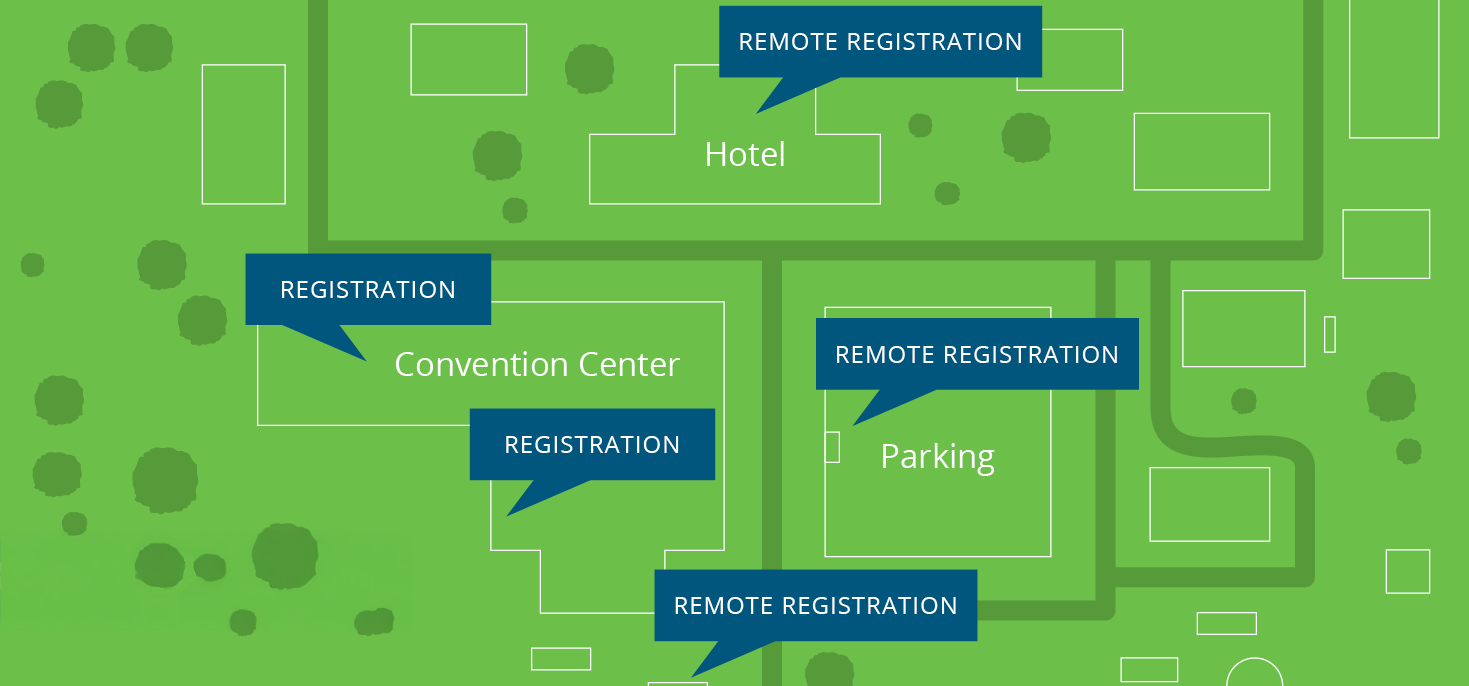
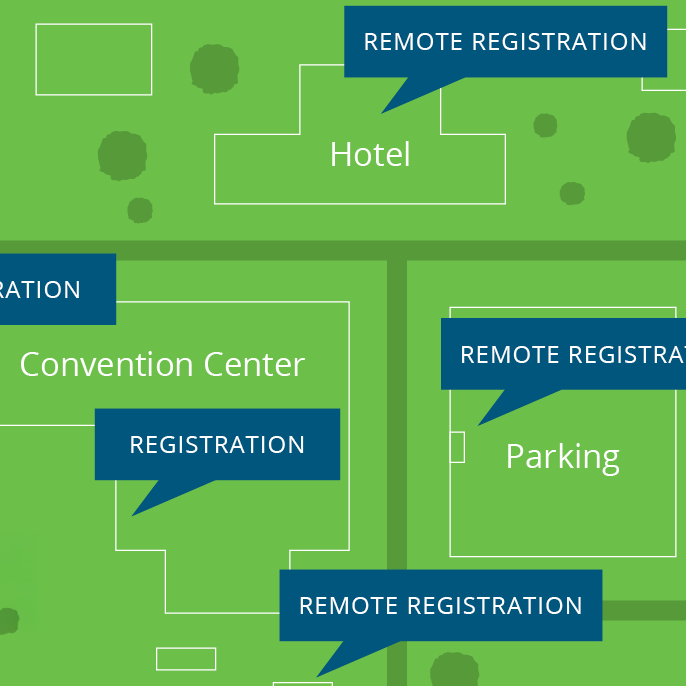
In an effort to make picking up credentials as easy as possible for their registrants, more and more Show Organizers are utilizing satellite registration areas and mobile carts. While most everyone knows that a satellite registration area is simply a remote area from the main registration site, not everyone knows what mobile registration carts are and the benefits they offer. In this blog, we will talk about mobile registration carts, location selection and the potential costs involved with both.
Mobile Registration Carts
Mobile registration carts are a fairly new concept. The carts have wireless Internet capabilities allowing for the cart to be wheeled around to areas in need of registration assistance at any given time; a VLAN is not necessary. They require a standard electrical outlet and typically include:
• A laptop with a scanner running an Express Registration application
• A smartphone or tablet with Internet connectivity and an Express Registration app installed
• A badge printer
Some things to consider when determining how many carts you want to reserve include:
• A temporary staff member is required to operate each cart
• If the carts are being used at a location other than the convention center, it is up to the Client or Decorator to bring the cart(s) and equipment to that location and return it to the convention center at the close of the event
• An additional registration technician(s) may be sent at the vendor’s discretion
Location
Location, Location, Location! We’ve all heard this before. Whether you use satellite registration areas, mobile registration carts, or both, determining their locations can be tricky. Typically, they’re based on the draw and convenience for the attendee/exhibitor. Hotels, airports and remote locations located within the convention center are the most popular. However, if you have an alternative in mind, let your registration vendor know. They will discuss it with you further to determine if it’s a good fit for your business goals and requirements. They should also advise you in such a way where you don’t overload a small remote area by putting it, for example, too close to a bus drop-off location.
Cost
The cost of satellite registration areas and mobile registration carts will vary based on how much equipment is being used, the connection required to access the area, if a technician is needed in the area during the event and more. Your registration vendor will work out the specifics with you, well in advance, to make sure you stay on target with your budget.
No matter which option you choose, offering your registrants a more convenient way to pick up their credentials is always a win. They will appreciate the convenience and you will appreciate that they return for your next event.

Tips for Organizers When Going out to Bid for Registration
Going out to bid for a registration provider can be a daunting task for any show organizer. What should you include? Did you give enough or too much information? How does the process work? All of these are great questions. In this post, Pat Fallon, CompuSystems’ Vice President of Business Development, will shed some light on the “do’s” and “don’ts” of going out to bid. Having been in the registration business for over 25 years, Pat has worked on hundreds of Request for Proposals (RFP’s) from a variety of organizers, including profit, non-profit and corporate events.
1. Begin by researching possible registration companies. Talk to your industry contacts to get a good perspective and reference on the quality service companies you should include. It is important to narrow down the list to 3-4 companies so you have the proper amount of time to thoroughly research the companies who are bidding.
2. Consider the timing of the RFP; allow your selected registration companies the opportunity to visit your event before they bid on it. They will be able to better understand your requirements and make educated recommendations in the proposal for process improvements based on their observations.
3. If you do not have a formal RFP prepared, a registration company should be able to help you. Often times, companies have a standard document that will outline the specification needed to draft a comprehensive proposal. Some key items to include in your RFP are:
- Event dates and locations
- Length of potential contract
- Program booklet
- Advance and onsite registration forms
- Is data entry required or is registration 100% web? A quantity breakdown is helpful
- Amount and type of equipment currently used onsite to service your event
- Copies of your existing onsite registration layout, equipment and number of locations
- Registration summary report with the advance and onsite registration numbers broken down by registration category
- Number of websites required, i.e. attendee, exhibitor, press, speaker, VIP, etc. and respective launch dates
- Size of badge stock, number of colors and type of badge holders used
- The number of calls and e-mails for you event if Call Center services are required. This is critical information for the registration company to plan and price accordingly
- Session tracking information-how many rooms are there and how many scanning devices were used at your last event
- Is real time access control required for sessions
- How many exhibiting companies will exhibit at your event
- What 3rd party integrations are required and with which companies
- What Association Management System (AMS) you use and if you require real-time integration
- Percentage of exhibiting companies that order lead retrieval and how many units/apps are rented
- Is there a revenue share on lead retrieval
- Does your registration company sell lists to your exhibitors and what the revenue is
- Housing Company
- Show app provider
- Show floor provider
- Decorating company
4. If you do have a formal RFP prepared, try to include the list of items outlined above. It will save you time in the long run as the registration providers will likely contact you asking about these items if they are not addressed.
5. Lead retrieval data and any subsequent lead participation reports from your current registration company are critical to the RFP process. Most registration companies operate under a similar business model where lead retrieval revenue subsidizes registration costs. Providers need accurate information, including the participation report, to determine their projected revenue and subsequently, your registration fees.
6. Include the following dates in your RFP:
- RFP due date
- Deadline for the question & answer section
- Presentation dates for registration company finalists
- Final decision date
7. Outline your primary objectives in the RFP, as well as any impetus for change. The more information and insight you can provide relative to your key drivers in the evaluation and decision process, the more it will help the bidding companies align their technology, service and price offering with your organization’s business objectives.
8. Allow the registration company an appropriate amount of time to respond; 60 days for a comprehensive proposal is ideal. It gives them time to research your event and formulate key questions.
9. Once you have sent out the RFP, be open to having some phone calls and e-mail correspondence to provide more insight and answer questions in more depth. Sometimes a phone call can be a lot faster than an e-mail going back and forth. Try setting aside specific days during the RFP period that the registration companies can schedule a call or send questions via e-mail; it will help you manage your time with the question and answer process. Preparing the proposal is a lengthy process. Your help is needed to make sure your business requirements are being met.
10. Allow the Sales Executives from the registration companies to speak to key staff members involved in the RFP decision-making process. They will learn more about the requirement for your event from each business unit that is involved, including convention, education, marketing, IT and finance.
11. Expect registration companies to call you after the proposal has been sent to discuss the questions that surface during the review process. If you’re not on schedule with your evaluation, simply share that information and set a target date for a follow-up call.
12. It is important to select the registration companies you think best fit your needs and allow them to come in to present their capabilities for a minimum of 90-120 minutes. You will learn a lot from the presentation and will be able to make a more educated decision.
13. Once you have made your decision, a personal phone call to the registration companies that have responded to the RFP is always appreciated, whether they were awarded the business or not. They put in a substantial amount of effort in presenting their services and may have questions on where they fell short. Your candor can potentially help their service offering for a future opportunity.
We hope you find the tips above helpful for your next RFP process. They will save you time and ensure you have made a well-educated decision on who can best service your organization as your registration business partner.

Top 10 Tips to Ensure a Successful Opening Day

Opening Day. It’s an exciting time for show organizers, as well as exhibitors. All of the hard work and preparation that has been put in over so many months, by so many people, culminates into this all-important day. You would be hard pressed to find a better authority regarding opening day than Mike Blazejewski, Event Citadels’ Vice President of Field Operations. Mike has been in the trade show business for 16 years and has overseen the onsite operations for more than 250 shows! In this blog, Mike shares his top 10 tips to ensure a successful opening day.
1. Plenty of Signage
Trade shows can be stressful and typically, badge pickup isn’t high on a registrant’s list of priorities. Make sure there is clear signage leading to the registration areas, as well as clear signage inside. Also, keep it simple. For example, in “Express Badge Pickup” have the sign read, “I have my bar code” so it’s clear what that section of counters is for. Color coding helps too. Each designated registration area can have a different color. On the attendee’s confirmation, you can then have verbiage that says, “Once onsite, take this bar code to the blue “I have my bar code” area within registration.”
2. Hire Great Line Monitors
Line monitors are pivotal for guiding the masses of people that flood in on opening day. Make sure you have an ample amount directing registrants to the correct lines. It not only speeds up the lines, but it also saves the attendee from hearing the inevitable (and loathed) “I’m sorry, I can’t do that here. Please go wait in that line.” response.
3. Resend Confirmations the Day Before the Show
These days we are bombarded with emails. Receiving another confirmation right before the show makes it easier for the attendee to find their bar code and get their badge generated quickly.
4. Make Sure Your Registration Vendor’s Scanners Can Read Smartphones
It appears that about 50% of attendees no longer bring paper printouts onsite. If your bar code scanners can’t read smartphones, your lines will slow down tremendously.
5. Shows are Seeing Higher App Adoption Rates
Send push notifications the morning of opening day to remind registrants where registration locations are. Also, most registration vendors can integrate with app providers. Make sure their bar code confirmation is located within the app.
6. Make Sure the Registration Staff Knows Your Show Rules and Info
Registration is quite literally a big information counter. They get asked every question under the moon. Make sure all staff is given a brief overview of the show and most commonly asked questions. Tape cheat sheets to all the typists’ terminals.
7. Make Sure Help is Readily Available
Your registration vendor should be out in the registration areas, available to help and easy to locate. Show management should also be readily available in all locations to deal with any escalated issues. Attendees don’t like to wait; make sure help is always a stone’s throw away.
8. Use Remote Registration Areas
If it’s in the budget, put a small badge pickup area in the large, show hotels. Even better, if you have a good amount of non-local attendance, put a badge pickup area in baggage claim at the airport. Even pickup areas near the hotel bars for a few hours at night will greatly help. There is nothing better than seeing someone walk into the convention center already wearing their badge!
9. Go over Registration and Temporary Staff Hours with a Fine-Toothed Comb
There is nothing worse than being under/over staffed or opening registration too late. If you have an early morning breakfast or session for which attendees need a badge, make sure registration is open at least an hour before it starts. If not, you will likely walk into a group of not-so-happy campers in the morning.
10. Make Sure You Have the Correct Amount of Equipment Needed to Get the Job Done on Opening Morning
It’s a fairly simple math equation. If you have history on the show, use it. Look at how many people historically pickup their badge in the first four hours of opening day and make sure you have enough stations to cover that. Most registration companies have formulas that do this for you; make sure to heed their advice! Too little equipment will give you monstrous lines. Too much equipment can give the feeling that show attendance is down. Find the perfect ratio and your opening day will be a success from all sides. And remember, keep those lines moving! When there are lines, be polite and work with a smile but try to get the attendees in and out as fast as possible. Limit handouts at the registration counters to speed up this process.
All told, there are many different moving parts when it comes to having a successful opening day. Now that you’ve read Mike’s tips, perhaps you can institute some of them in an upcoming event to see the difference they can make. Good luck!

Tips for Organizers When Providing Registration Vendors with Event Set Up Specifications

Creating a registration database and website that marries your organization’s goals with aesthetics requires collaboration, creativity and most importantly, building a partnership with your registration vendor.
Alexandra Schneider, CompuSystems’ Director of Event Services Management, offers some tips to help simplify the set up process and ensure your event’s success.
1. Help Us Help You
At the beginning of the set up process, be sure to clearly identify and define your overall registration goals and your biggest concerns. To successfully educate your registration partner, conduct an internal review of your goals with your team. Great things happen when marketing, finance, registration management and membership come together to discuss what you need out of your registration process prior to providing set up specifications to your vendor. For example, are you interested in getting people registered as fast as possible? Is giving a registrant incentive to upgrade their registration type important? Is there a past issue that you’d like to avoid? By giving your registration vendor a clear picture and by letting them be creative, the set up process becomes collaborative and allows everyone to be invested in the success of your event.
2. Go With the Flow
Give your vendor a copy of your registration form, in addition to access to your previous registration website via screenshots or a mockup template. Allowing them to walk through the registration process from the previous year gives your vendor an appreciation for the information that is important to you and your event. In addition, be sure to look at and discuss previous year’s reports, registration confirmations and business rules to help guarantee that you will get the data, reporting and analytics you need from your vendor to continue the success of your event.
3. No Such Thing as a Minor Detail
Information that may seem minor to you may be very important to your registration vendor. For example, do you have a business rule that would impact the flow of the registration process or website? Do you allow someone to finish a website registration without submitting payment? You’d be surprised at how often a single business rule addition, removal and/or edit which is relayed late in the set up process results in significant registration complications. By providing registration rates, packages, options, membership rules, sample files, and artwork you’re giving your registration vendor the details which help deliver a better and more accurate product. Let your registration vendor be your partner for success.
4. Marketing Tools
Provide your registration vendor with your event’s big picture marketing strategy and goals, as well as your specific marketing programs. By doing so, they can recommend promo codes, tracking codes, link tracking, click counts, email open rates, and many other useful tools that can help you meet your objectives.
5. Review the Result Together
Once your registration vendor hands over the registration website, go through it with your entire team, together. With this methodology, everyone has a say in the final product and your registration vendor can help you go live with the site faster. Remember that everyone in your organization should feel like the registration vendor is their partner in helping to make your event successful.
In sum, registration vendors are experts in their field. Each event is unique and they are accustomed to having many distinct guidelines given to them regarding all aspects of registration, both onsite and in advance of the show. By giving them all of your requirements upfront and letting them explore potential solutions based on best practices, you enable them to be your partner. Working together as a team will ensure that your goals are accomplished in a timely, efficient and well-organized manner.
Best Practices for Registration Website Customization
Registration websites are the gateway to your show. They are the first impression an attendee has and can often dictate the opinions and experiences that they will have going forward. It is important for show organizer’s to carefully plan and focus in on making the user experience simple, interactive and as enjoyable as possible.
CompuSystems’ Senior Director of Programming, Frank Anselmo, outlines some tips and tricks for customizing registration websites to maximize your attendee’s satisfaction when registering online.
1. Keep the user in mind.
When you are in the stages of planning and developing your registration website be sure to think about the end user. Your audience is critical in making customization decisions.
2. Go mobile.
Since the vast majority of attendees own a smartphone, be sure to consider making your registration website mobile friendly.
3. Less is more.
Remember that your registration websites are not blog posts or company websites. Keep the material available brief and informative as attendees are not likely to thoroughly read the full site. This means keeping requirements for attendees simple and user friendly. Avoiding excessive button clicks and minimizing required fields can also be helpful.
4. Easy on the eyes.
Registration websites should be aesthetically pleasing. Cut down on overwhelming clutter; white space can be a great way to break up a website into sections. Colors can also be an issue with websites because they subconsciously evoke emotions. Brighter colors will tend to evoke a more intense sense of emotion, so use them sparingly.
5. Read it like a book.
Remember that users read websites as though they are books. By placing important or vital objects and information higher and to the left of the page, they are more likely to be noticed and prioritized by attendees.
6. Aim to please a wide demographic.
Keep in mind that international users or people with disabilities may be using the registration website. To give these users a better experience, try to use larger type face when possible and increase the size of buttons to make them easier to click (also helpful for mobile users). An average of 8% of the male population is considered color blind. Red on a gray background can look like gray on gray to certain users. Finally, be sure to clarify dates and times to keep them from becoming ambiguous. Depending on where the user is from, 5/6/16 can mean May 6, 2016 or June 5, 2016, so writing out the month and day is always safest.
7. Scale down images.
Unless you are developing a photo gallery it is best to keep images smaller. Large images can distract users from the overall message of the page. Also, large images means a large file size, which can impact web performance. User satisfaction can be impacted by their personal internet connection and the particular mobile device or computer they are using.
Putting the extra effort into developing a user friendly site can be well worth it. Customizing sites and keeping your audience in mind will alleviate difficulties for attendees. A simple and successful registration experience allows for an enjoyable first impression of your show.